Article
Control GSPro from your phone while you play
In GSPro, every control is a key on the keyboard. Change clubs, show the heat map, pull up a flyover, switch cameras, drop your aim point. They all live on the PC.
Updated June 2026
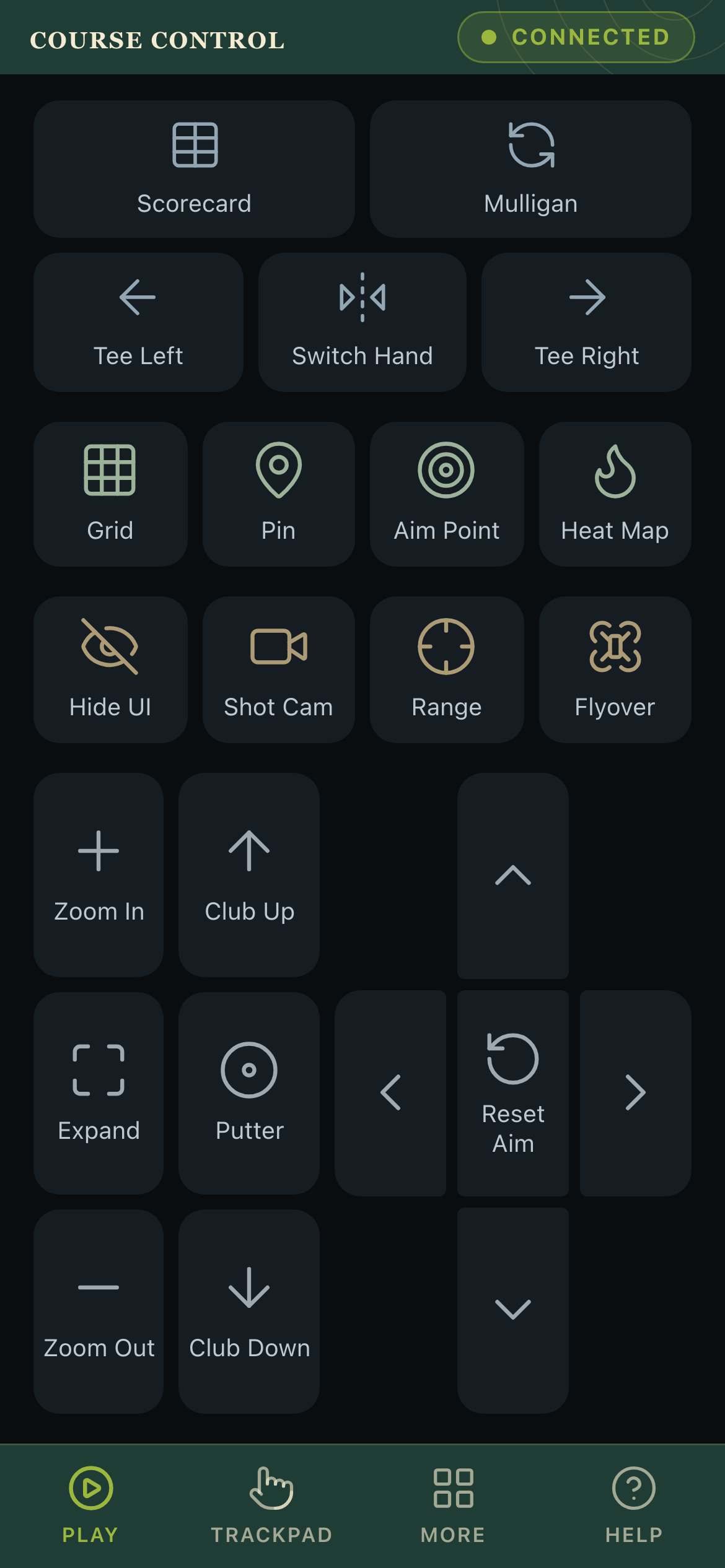
And that's the catch. You're hitting from the mat a few feet away, but the controls are back on the keyboard at the desk. Changing anything mid-round means turning around and reaching for it.
Course Control moves those controls onto your phone.
Your phone is the remote
Course Control puts the GSPro actions you use most on your phone as labeled buttons. Scan a QR code on the PC screen, the controller opens in your browser, and you tap. There's no app to install, and nothing routes through the internet. Every press goes straight to your PC over your own WiFi.
Pick a course here, then control GSPro from your phone for the whole round.
It works on the phone or tablet you own
Because the controller is a web page, it loads on anything with a modern browser. iPhone, iPad, Samsung, Pixel, even a cheap Android tablet propped by the mat. A tablet is the nicest setup, since the larger screen fits more buttons in reach.
There's also a trackpad mode. It turns the phone into a full mouse and keyboard, so you can type a player's name, drag a slider, or click anything in a GSPro menu without getting up.
Setup takes about a minute
- Install Course Control on the Windows PC that runs GSPro. It starts with Windows and shows a QR code.
- Put your phone on the same WiFi as the PC.
- Scan the code. The controller opens and connects on its own.
That's the whole thing. It runs a safety mode by default, so a stray tap never lands on your desktop while you're between shots.
What it costs
Course Control is available now from the Microsoft Store. It's $30 one-time with free updates, no subscription, and no account to create. A 14-day free trial runs on the first launch with no card, so you can play a full round on a course you found here before you decide.
Find the course in Course View, then keep the controls in your hand for the round. Try Course Control.
Course Control is made by the same team behind The Course View.
Find your next course
Search GSPro courses by name, location, designer, or style.
Search all courses